Everything in version 2.0
One canvas for enterprise, systems and software architecture. Here is what it does, and which plan each part comes with.
The canvas
Element Selector
Every element type of the canvas notation, with search and favourites. Slide a row left and tap Add.
Free
Drag-onto connect
Drag one element over another and pause. Only the relationships the notation allows are offered.
Free
Diagram types
Touch and hold the canvas title to choose a diagram type. The palette and rules follow it.
Free
Canvas Selector
Thumbnails of every canvas, grouped by notation, with element and connector counts.
Free
Grid, snap and resize
Show a grid, snap to it, or resize the canvas to fit everything on it.
Free
Magnify and move together
Zoom from ×0.5 to ×2.5, or move every element as one group.
Free
Inspect and edit
Tap an element for its properties; the panel follows the notation’s own attributes.
Free
Undo and redo
Every canvas operation can be undone, in order.
Free
Print to PDF
Triple-tap an empty part of the canvas to print it or save it as a PDF.
Free

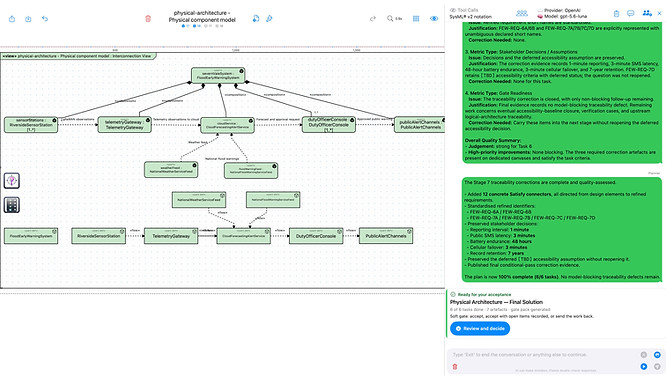
Canvas Selector - shown for ArchitectBuddies™ running on iPad
Notations
NOTATION
FOR
INCLUDED WITH
UML® 2.5.1
Software and systems design: class, component, sequence, state machine and more
Free (limits) · Pro (no limits)
OMG SysML® v2
Systems engineering: parts, ports, interfaces, requirements, states
Free (limits) · Pro (no limits)
ArchiMate® 3.2 Standard
Enterprise architecture
EA Notation subscription
ArchiMate® 4.0 Standard
Enterprise architecture
EA Notation subscription
An imported model keeps the notation it was saved in. The notation you pick on the Welcome screen is the default for new canvases only.
More ways to model
Pro
One Buddy for direct edits, or a Team working to a plan with stage gates and documents.
Pro
Voice Builder
Say the element type, then its name. Say ‘connector’ to join two elements by name.
Pro
Create Illustration
Turn a canvas into a picture in a style you choose. It opens on its own canvas and can be saved to Photos.

Pro
Create a canvas from an image
Pick a photo, a file or a pasted screenshot of a diagram, and One Buddy redraws it as a model. Needs a model that can read images.
Import and export
Save and Export are the same action (⌘S). A model is saved as an ArchitectBuddies Model Bundle (.abmodel) together with one exchange file for each notation it uses. Import adds canvases, elements and connectors to your model; nothing is replaced.
.abmodel
Pro or EA Notation
ArchitectBuddies Model Bundle
.xml
EA Notation
ArchiMate® Open Exchange File Format
.sysml / .json
Pro
SysML® v2 textual notation and JSON
.xml (XMI)
Pro
UML® XMI
On the Mac, too
ArchitectBuddies™ runs on Macs with Apple silicon. The chat opens as a side column beside the canvas, trackpad pinch zooms, right-click does what touch and hold does on iPad, and every canvas button has a keyboard shortcut.